
Artificial Intelligence
OpenAI Unveils Dots Everything to Know About Its New AI Agent System
Share
TL;DR
-
Each dot is powered by GPT-6 Astra and gets its own cloud computer and browser.
-
Dots can use connected apps, recurring tasks, memory, and supported communication channels.
-
Users can define rules for when a dot may act, ask for approval, or hand work back.
-
OpenAI’s safety testing found strong results in several scenarios but also some moderate scope violations.
-
Dots are rolling out gradually to eligible Pro, Business Premium, and Enterprise users.
-
Long-term usage terms have not yet been published.

Introduction
OpenAI introduced dots at DevDay 2026 on September 29 as a new class of always-on agents inside ChatGPT. A dot can keep working toward an ongoing goal between conversations instead of waiting for a fresh prompt. OpenAI says each dot is powered by GPT-6 Astra, has its own cloud computer and browser, can use connected tools, and can follow up through ChatGPT, email, text, and Slack.
That makes dots different from a normal assistant session. A user can give a dot a goal, define what it may do, and let it keep making progress until it needs review or judgment.
What Are OpenAI Dots?
OpenAI dots are persistent AI agents built to handle ongoing work across connected tools, websites, files, and communication channels. OpenAI describes them as agents that can keep making progress between conversations, remember context, and bring results back for review. Each dot gets a separate cloud computer rather than operating only inside a text chat.
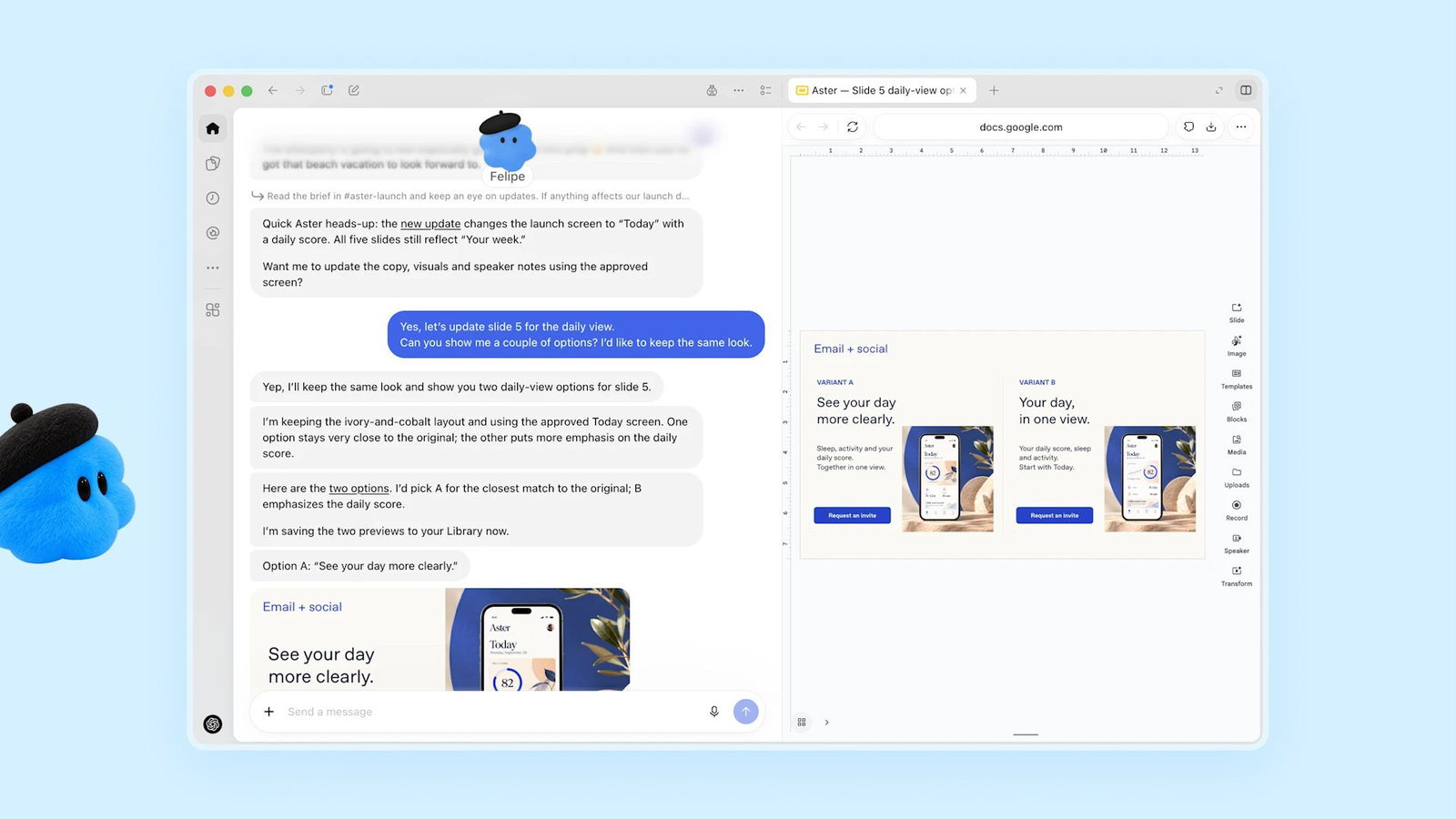
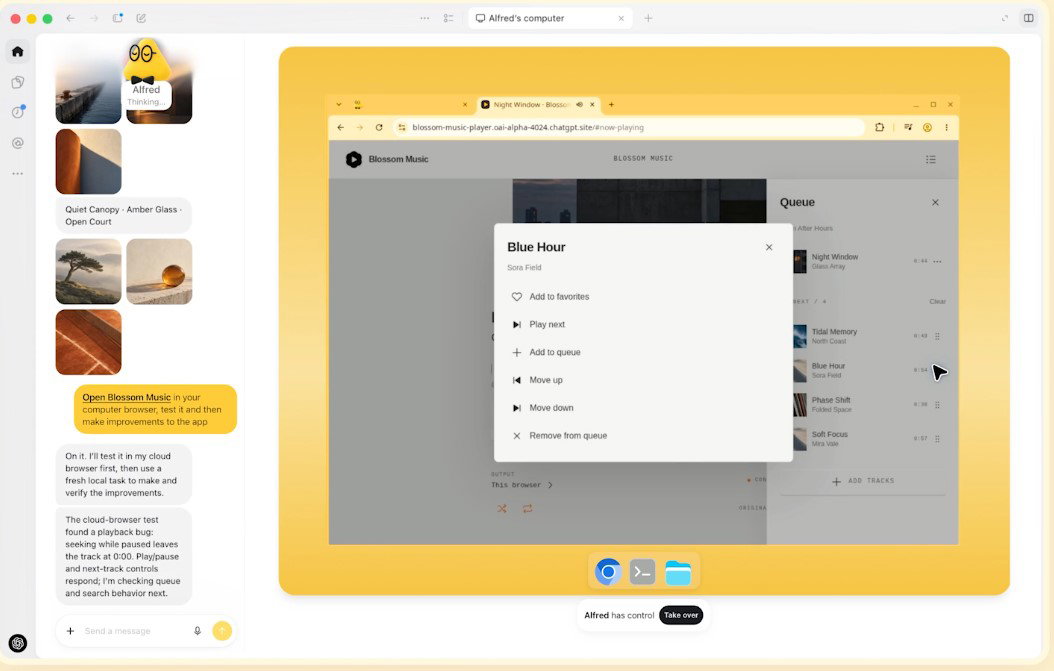
The system is powered by GPT-6 Astra. OpenAI says a dot can research, schedule recurring checks, use connected apps, create tasks in Codex cloud environments, and sometimes delegate work to subagents. Users can choose whether to connect a local computer, which starts turned off.
The core idea is persistence. A normal chat responds to the current request. A dot can hold an ongoing objective and continue acting on it over time.
How OpenAI Dots Work
OpenAI dots combine a persistent goal with a cloud computer, connected services, memory, and rules that govern actions. The agent can work in the background, check information later, and return when it has an update or needs a decision.
A dot can use several operating layers.
-
Persistent goal: The user defines the responsibility, such as reviewing a calendar each morning, tracking research, or coordinating a recurring workflow.
-
Cloud computer: Each dot has its own cloud computer and browser, letting it interact with supported websites and tools without depending on the user’s laptop.
-
Connected apps: A dot can use information from authorized services and may proactively review connected information and form memories from it.
-
Scheduled work: Users can create reminders and recurring checks, then review them under In progress, Scheduled, and Completed.
-
Subagents: OpenAI says dots can delegate parts of complex work to subagents, allowing one persistent agent to coordinate pieces of a larger task.
What Can OpenAI Dots Actually Do?
OpenAI dots are designed for work that benefits from continuity rather than a single answer. The strongest examples are tasks where information changes, several systems are involved, or the user would otherwise repeat the same instruction.
A dot can review a calendar each morning, watch a project for changes, research a topic over time, organize follow-ups, work across files, or continue a multi-step task in the background. It can also create Codex cloud tasks when the required environment exists.
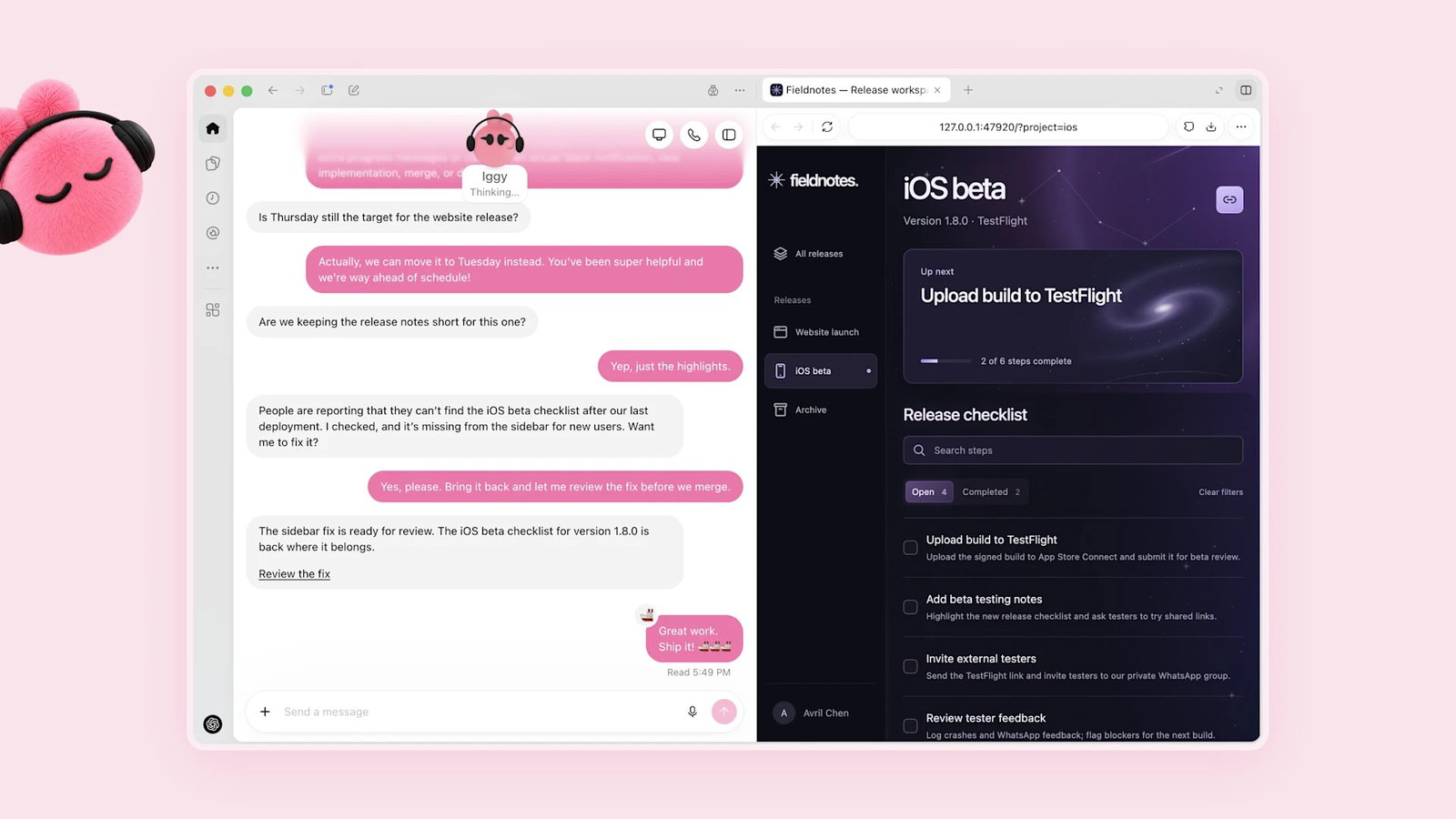
ChatGPT beside a presentation editor showing two slide options.
Communication is part of the design. OpenAI’s system card says dots can follow up through ChatGPT, text message, email, and Slack. Enterprise documentation also describes support for Slack and Microsoft Teams where administrators allow it.
The product is therefore closer to a persistent digital operator than a chatbot that only answers questions.
OpenAI Dots vs ChatGPT Work
OpenAI dots and ChatGPT Work overlap, but they solve different continuity problems. Work is designed for longer tasks and finished deliverables. Dots add a persistent identity, memories, recurring responsibilities, and follow-up across channels. The table below shows how their roles differ in practice.
| Area | ChatGPT Work | OpenAI Dots |
| Primary role | Long multi-step tasks and deliverables | Persistent ongoing responsibility |
| Continuity | Task or project based | Designed to continue between conversations |
| Computer | Cloud and supported local workflows | Dedicated cloud computer for each dot |
| Recurring work | Scheduled Tasks supported | Recurring work is central to the experience |
| Identity and memory | Work conversation and project context | Persistent dot profile and memories |
| Follow-up | Primarily within ChatGPT | ChatGPT, email, text, Slack, and supported channels |
How Much Control Does a Dot Have?
OpenAI dots can act independently only within the access, rules, and safeguards around them. Users choose which apps to connect and can set custom rules for sharing, purchases, access, or other sensitive behavior.
OpenAI provides four rule behaviors for supported actions. A dot can act without asking, act when the user pre-approved the step, ask before acting, or hand the task back. Built-in safeguards still apply with permissive custom rules.
Enterprise administrators receive another control layer. They can decide who may use dots, whether dots can join Slack or Microsoft Teams, whether local computer access is allowed, and which cloud capabilities are available.
OpenAI also warns that dots can make mistakes. Important actions still need review, especially those that create commitments or expose sensitive information.
What Are the Security and Privacy Risks?
OpenAI dots create a larger safety surface because a persistent agent can access more context and act longer than a normal chat. The main risks are excessive permissions, prompt injection, unintended disclosure, and actions that continue after scope changes.
OpenAI tested dots against hidden instructions, attachment attacks, data-exfiltration attempts, changing permissions, and chained tasks. The company reported no severe breach or exfiltration in one chained-task evaluation, but it also found moderate scope violations. With ten intervening tasks, the observed flag rate reached 19.7 percent.
OpenAI also reports a 91.8 percent alignment pass rate when permissions or scope changed during execution. These are controlled evaluations, not guarantees of production behavior.
Persistent agents therefore need narrow permissions, clear approval rules, auditability, and regular review.
Who Can Use OpenAI Dots?
OpenAI says dots are rolling out gradually beginning September 29, 2026. Pro users can access them in supported markets outside the European Economic Area, Switzerland, and the United Kingdom. Business Premium users can access dots across supported ChatGPT regions, while Enterprise workspaces can enable a beta that starts off by default.
Users create a dot in the ChatGPT desktop app or on desktop web. After setup, mobile access can be used where available, but dots cannot currently be created on mobile or mobile web.
For the first month, OpenAI says eligible Pro, Business, and Enterprise usage will not count toward plan allowances. The company has not published later usage terms, so long-term costs remain open.
Why OpenAI Is Launching Dots Now
OpenAI is launching dots as the AI market shifts from assistants that respond to prompts toward agents that can manage continuing responsibilities. Reuters reported that the DevDay launch places OpenAI against companies building autonomous agent systems, including Meta.
The timing follows OpenAI’s move into agentic work. ChatGPT Work handles multi-step projects, while Codex focuses on software development. Dots add a persistent layer that can coordinate work, remember context, and reappear when something changes.
That changes the product relationship. Instead of repeatedly opening an assistant and issuing instructions, users may assign an ongoing responsibility once. Whether that model becomes useful will depend on reliability, permission design, and whether users can understand what the agent did while away.
The Bottom Line
OpenAI dots push ChatGPT toward a more persistent form of agentic computing. They combine GPT-6 Astra, a cloud computer, connected apps, recurring tasks, memory, and multi-channel follow-up into an agent that can keep working between conversations.
The capability is meaningful, but persistence raises the stakes. A mistaken answer is one problem. A mistaken action that continues across tools is another. For dots to become useful, OpenAI will need to make ongoing work easy to inspect, permissions easy to limit, and approvals clear enough that users know when the agent is acting on its own.
Frequently Asked Questions
What Is an OpenAI Dot?
An OpenAI dot is an always-on AI agent inside ChatGPT that can keep working toward an ongoing goal between conversations. Powered by GPT-6 Astra, it has its own cloud computer, can use connected apps, and can remember context continuously. Users define its responsibilities and can require approval before sensitive actions.
Is OpenAI Dots the Same as ChatGPT Agent?
No. OpenAI has positioned dots as persistent agents with their own identity, memory, cloud computer, and recurring responsibilities. Earlier ChatGPT agent experiences focused more on completing a specific task or session. Dots are designed to remain active over time and return with updates without requiring a completely new instruction each time.
What Model Powers OpenAI Dots?
OpenAI dots are powered by GPT-6 Astra. OpenAI says dots build on its existing model and agent capabilities while adding persistence, recurring work, connected tools, and multi-channel follow-up. The company’s GPT-6 Astra system card also includes separate evaluations focused on the safety risks created by long-running, proactive agent behavior specifically.
Wed, Sep 30, 2026

Enjoyed what you read? Great news – there’s a lot more to explore!
Dive into our content repository of the latest tech news, a diverse range of articles spanning introductory guides, product reviews, trends and more, along with engaging interviews, up-to-date AI blogs and hilarious tech memes!
Also explore our collection of branded insights via informative white papers, enlightening case studies, in-depth reports, educational videos and exciting events and webinars from leading global brands.
Head to the TechDogs homepage to Know Your World of technology today!
Disclaimer - Reference to any specific product, software or entity does not constitute an endorsement or recommendation by TechDogs nor should any data or content published be relied upon. The views expressed by TechDogs' members and guests are their own and their appearance on our site does not imply an endorsement of them or any entity they represent. Views and opinions expressed by TechDogs' Authors are those of the Authors and do not necessarily reflect the view of TechDogs or any of its officials. While we aim to provide valuable and helpful information, some content on TechDogs' site may not have been thoroughly reviewed for every detail or aspect. We encourage users to verify any information independently where necessary.
Loading comments...