Artificial Intelligence
How To Choose Cloud Accounting Software For Your Small Business
Share
TL;DR
-
Start with the transactions, people, and financial tasks your business handles regularly.
-
Prioritize reliable bank feeds, reconciliation, invoicing, expense capture, reports, and appropriate user permissions.
-
Check whether the system supports the tax records and exports your accountant actually needs.
-
Compare regular subscription prices, add-ons, user fees, payment costs, and likely upgrade triggers.
-
Test integrations, multifactor authentication, accountant access, and data exports before committing.
-
Use a free trial with realistic transactions instead of judging the dashboard alone.
Introduction
Cloud accounting software should fit the way your business handles money, not the longest feature list on a pricing page. The right product should make it easier to record income, track expenses, reconcile accounts, send invoices, review reports, and work with your accountant.
Plans often separate features by user count, client limits, inventory, payroll, projects, or reporting depth. A low monthly price can become expensive if essential functions require upgrades or add-ons.
Start with your workflow, then test whether the software handles it cleanly. Price matters, but so do tax records, integrations, security, support, and data export. That difference matters during daily bookkeeping.
What Is Cloud Accounting Software?
Cloud accounting software is an online system for recording and managing business finances through a web browser or app. Instead of keeping the main accounting file on one computer, the provider hosts the service and makes data available to authorized users online.
Typical systems combine invoicing, expense tracking, bank feeds, reconciliation, reports, receipt capture, and payment connections. Many also let accountants work in the same records without sharing one login.
Cloud access helps owners and teams work from several devices. It still depends on reliable internet access and strong account security.
Start With What Your Small Business Actually Needs
Small businesses should define their accounting workflow before comparing products. A consultant sending ten invoices monthly has different needs from a retailer managing inventory, purchase orders, sales tax, and employees. Write down the financial tasks you perform every week, month, and quarter. Include the people who need access and systems holding important data.
-
Business model: Note whether you sell services, products, subscriptions, projects, or a mix.
-
Transaction volume: Estimate invoices, bills, receipts, card charges, and bank transactions.
-
People: Count owners, employees, bookkeepers, accountants, and approvers needing access.
-
Special workflows: Flag inventory, time tracking, multi-location reporting, contractor payments, or recurring billing.
-
Growth: Consider needs likely to appear during the next two years.
This list becomes your buying criteria and keeps attractive extras from driving the decision. That keeps the decision grounded in operations.
Which Cloud Accounting Features Matter Most?
Cloud accounting features matter when they remove manual work or improve records you already need. Most small businesses should prioritize dependable core accounting before advanced dashboards or artificial intelligence features. Inventory, project profitability, multicurrency support, and advanced automation matter only when your business uses them.
-
Bank feeds: Automatic imports reduce retyping and support reconciliation.
-
Reconciliation: The system should clearly match bank activity with recorded transactions.
-
Invoicing: Look for recurring invoices, reminders, payment links, credits, and status tracking.
-
Expense capture: Receipt scanning and attachments help preserve supporting records.
-
Reporting: Profit and loss, balance sheet, cash flow, receivables, and payables should be easy to run.
-
Tax support: Check sales tax, 1099 workflows, and useful export options.
-
Permissions: Users should receive only the access required for their role.
Check Tax and Recordkeeping Support Before Buying
Accounting software should help your business maintain complete, accurate, and accessible financial records. The Internal Revenue Service lets businesses choose a recordkeeping system suited to their operations, but the books must clearly show income, deductions, and credits. Electronic accounting records follow the same basic requirements as paper records.
Check whether the software preserves transaction details, receipts, invoices, bank activity, payroll information, and asset records where relevant.
Also confirm how long records remain accessible and how easily you can export them. Software can organize tax information, but it does not guarantee correct filings or classifications.
Compare the Total Cost, Not Just the Monthly Price
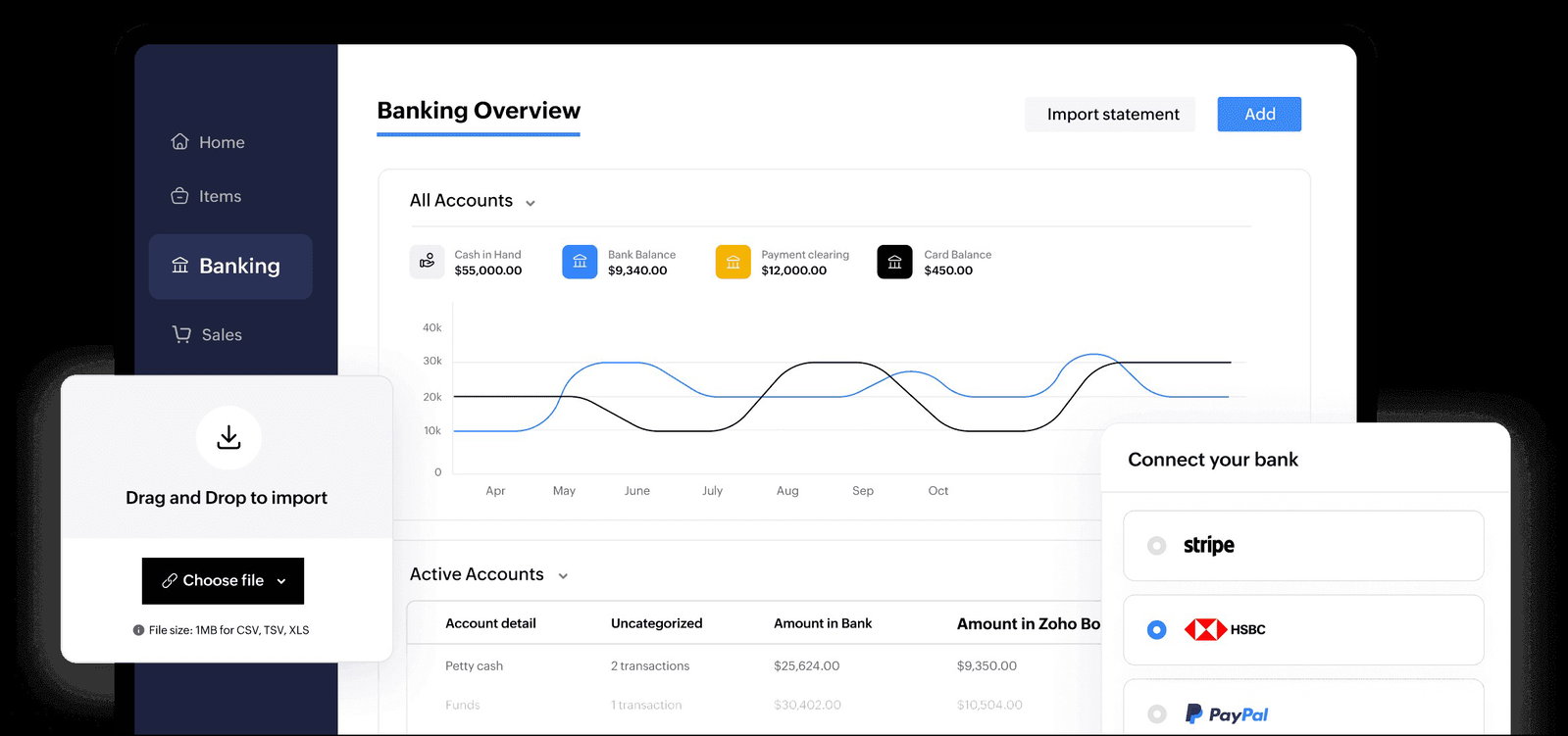
Cloud accounting software should be evaluated on total cost over the period you expect to use it. Subscription prices are only one part of that number. Current plans from QuickBooks, Xero, Zoho Books, and FreshBooks show why. Vendors place different limits or charges around users, clients, payroll, projects, inventory, and advanced functions.
Before subscribing, check:
-
Regular price: Ignore temporary discounts when estimating long-term cost.
-
User fees: Find out which employees and accountants are included.
-
Add-ons: Price payroll, payments, inventory, projects, or reporting separately.
-
Transaction fees: Review card, bank transfer, and processing costs.
-
Upgrade triggers: Identify limits that would force a higher plan.
-
Migration cost: Include setup, cleanup, training, and accountant time.
A higher plan can still cost less if it replaces several paid add-ons.
Make Sure the Software Connects With Your Existing Tools
Accounting software should connect with the systems that create your financial activity. Good integrations reduce duplicate entry, but a large app marketplace does not guarantee your workflow is supported. Check your bank, credit cards, payment processor, payroll provider, ecommerce platform, point-of-sale system, expense tools, and customer management software.
Ask whether each connection is direct, third-party, or dependent on manual imports.
Then test what actually syncs. A connection that transfers only totals may not provide the detail needed for reconciliation or reporting.
Check Security, Access, and Data Controls
Cloud accounting software holds sensitive financial information, so security controls belong in the buying decision. At minimum, choose a service that supports multifactor authentication and lets administrators control user access. The Cybersecurity and Infrastructure Security Agency recommends requiring multifactor authentication wherever possible, especially for accounts handling sensitive data.
Also check role-based permissions, audit logs, account recovery, encryption, backups, and session controls. Confirm that access can be removed quickly when someone leaves.
Data portability matters too. Make sure core accounting records can be exported in usable formats after cancellation.
Ask Whether Your Accountant Can Work With It
Accounting software should support the way your accountant or bookkeeper reviews and closes the books. Before committing, ask which platforms they use and what information they need at month-end and year-end. Accountant access should use a separate login rather than a shared owner password. Check support for journal entries, locked periods, audit history, and useful exports.
Your accountant's preference should not decide everything. However, an unfamiliar platform can add training, cleanup, and reconciliation time that outweighs a small subscription saving.
Test the Software Before Committing
A trial should test your real workflow, not just the dashboard. Use representative transactions and ask the people who will use the software to complete normal tasks. If ordinary bookkeeping feels confusing during a controlled test, it rarely becomes simpler after a year of transactions accumulates.
-
Test bank activity: Check whether matching and categorization are understandable.
-
Create an invoice: Test taxes, terms, reminders, branding, and payment options.
-
Record expenses and bills: Attach receipts and check approvals.
-
Run core reports: Review profit and loss, balance sheet, cash flow, and receivables.
-
Test access: Invite an accountant or teammate and verify permissions.
-
Export data: Download reports and records before the trial ends.
Cloud Accounting Software Red Flags to Watch For
Cloud accounting software becomes a poor fit when essential workflows are difficult, expensive, or hard to leave. Watch for problems before years of financial history accumulate. A capable product can still be wrong for a smaller, simpler operation.
-
Unclear upgrades: Basic functions suddenly require a much higher plan.
-
Weak exports: Important records cannot be downloaded in practical formats.
-
Limited permissions: Employees receive broader financial access than their jobs require.
-
Fragile integrations: Bank or payment connections need repeated manual fixes.
-
Poor support: Help is difficult to reach when accounting problems appear.
-
Excessive complexity: The business spends more time managing software than keeping books.
The Bottom Line
The right cloud accounting software handles required financial work accurately, securely, and with minimal friction. Start with your bookkeeping process, tax records, users, integrations, and growth plans. Then compare recurring cost and test the workflow with representative data.
Do not buy software because it has the most features. Choose a system your business can use consistently, your accountant can review efficiently, and you can leave without losing control of your records.
Frequently Asked Questions
What Should a Small Business Look for in Accounting Software?
A small business should look for software that handles its real bookkeeping tasks without unnecessary complexity. Core needs usually include bank feeds, reconciliation, invoicing, expense tracking, financial reports, useful tax records, and secure user access. The right feature set depends on whether the business also needs inventory, projects, payroll, multiple locations, or ecommerce integrations.
How Much Does Cloud Accounting Software Cost?
Cloud accounting software can range from free entry plans to several hundred dollars per month, depending on the vendor and feature tier. The subscription is only part of the cost. Extra users, payroll, payment processing, inventory, projects, advanced reporting, and migration work can increase the total. Compare the regular price after introductory discounts expire.
Is Cloud Accounting Software Safe for Small Businesses?
Cloud accounting software can be appropriate for small businesses when the provider offers strong security controls and the business configures them properly. Look for multifactor authentication, role-based permissions, audit logs, backups, encryption, and reliable account recovery. Owners should also remove former employees promptly and avoid sharing administrator credentials between users.
Does a Small Business Need Accounting Software if It Has an Accountant?
A small business can still benefit from accounting software even when an accountant handles tax preparation or financial review. The software organizes day-to-day transactions, invoices, expenses, and supporting records between accountant visits. A shared cloud system can also reduce file exchanges and make month-end or year-end review easier when accountant access is configured correctly.
Can a Small Business Switch Accounting Software Later?
A small business can switch accounting software later, but migration becomes more involved as transaction history grows. Before choosing a platform, check which records can be exported and which data can be imported elsewhere. A move may require opening balances, customer and vendor records, unpaid invoices, bank reconciliation, attachments, and accountant review to transfer cleanly.
Is Free Accounting Software Enough for a Small Business?
Free accounting software can be enough for a very small business with simple invoicing, expenses, and limited transaction volume. It becomes less suitable when the business needs more users, inventory, projects, advanced reporting, payroll, higher invoice limits, or deeper integrations. Check the limits carefully so a free plan does not create an expensive migration later.
Thu, Oct 1, 2026

Enjoyed what you read? Great news – there’s a lot more to explore!
Dive into our content repository of the latest tech news, a diverse range of articles spanning introductory guides, product reviews, trends and more, along with engaging interviews, up-to-date AI blogs and hilarious tech memes!
Also explore our collection of branded insights via informative white papers, enlightening case studies, in-depth reports, educational videos and exciting events and webinars from leading global brands.
Head to the TechDogs homepage to Know Your World of technology today!
Disclaimer - Reference to any specific product, software or entity does not constitute an endorsement or recommendation by TechDogs nor should any data or content published be relied upon. The views expressed by TechDogs' members and guests are their own and their appearance on our site does not imply an endorsement of them or any entity they represent. Views and opinions expressed by TechDogs' Authors are those of the Authors and do not necessarily reflect the view of TechDogs or any of its officials. While we aim to provide valuable and helpful information, some content on TechDogs' site may not have been thoroughly reviewed for every detail or aspect. We encourage users to verify any information independently where necessary.
Loading comments...